The Reluctant Host Is the Real User
Who we actually design for
Product teams love to design for the engaged user: the organizer who reads the setup email, logs into the admin view, and tests the room before people arrive. That person exists. They are also rare.
Most hosts are running the event on top of a full job. They want the thing to happen, and they would prefer someone else just do it. I used to read that as a gap to close with training. Now I read it as the clearest requirement we have.
This is familiar ground from accessibility and cognitive design. We don’t ask people to remember steps, scan a dense dashboard, or forward instructions perfectly, because we know memory and attention are limited resources. A host juggling five other things is under the same load. Designing for them is a curb cut: what helps the busy host also helps the first-time host, the neurodivergent host, and the one who will never open the admin view.
The most important user of your product might be the one who will never open it.
The missing link
A few hours before a recurring community event, an engineer on my team noticed something off. The event existed in NextSpace, the AI-facilitated event platform I lead at the Berkman Klein Center, but it had no meeting link. Without it, Berkie, our AI facilitator, had no way into the room.
She added the link herself and flagged it. When I followed up with the organizer, the answer was simple: she had shared a shortlink with attendees, and our automation couldn’t read shortlinks. Reasonable on both sides. We fixed it, and the event ran.
Then we asked the better question. Even with the link fixed, did anyone in the room know how to join the conversation? Probably not. That step had always depended on someone putting a QR code on screen and telling people where to go. Nobody had.
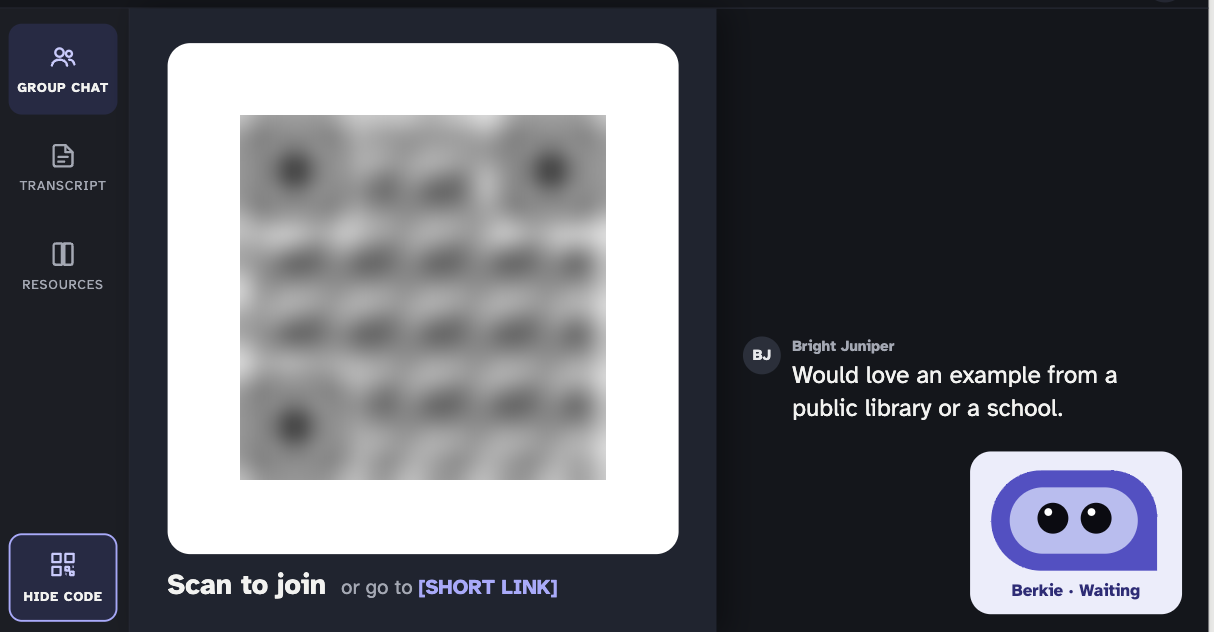
Nobody did anything wrong. The organizer had a full plate and wanted the event to just happen. That’s not a character flaw. That’s the user.
Every handoff is a point of failure
When I mapped what had to happen for one person to join one conversation, the problem stopped looking like a person and started looking like a chain.
Today
- Invite with Berkie added
- HostMeeting link entered
- HostEvent set up and checked
- HostJoin link shared
- HostQR put on screen
Four handoffs depend on one busy person. Miss any one and participants never arrive.
Designed for the zero-touch organizer
- Invite with Berkie added
- SystemLink read from the invite
- SystemSet up, with an easy undo
- SystemBerkie sends the link
- SystemBerkie shows the QR on Zoom
One action from the organizer. Everything after it happens unless they choose to stop it.
One action (adding Berkie to the calendar invite) kicked things off. After that, every step waited on the organizer: confirm the link, check the event, share the join link, put the QR code on screen. Each step was small. Together they formed a chain where any single skipped step meant participants never showed up.
We had been treating each failure as a communication problem. Remind the organizer. Explain it again. Send the instructions one more time. But reminders are just more steps added to the same chain.
Default to done
The engineer’s first instinct turned out to be the design principle. She didn’t wait for permission. She added the link and noted that the organizer could remove it if she didn’t want it. That’s the pattern: do the work, make it easy to undo, tell people what happened.
For an AI agent, this changes the job description. Instead of generating a to-do list for a human, the agent closes the loop itself. In NextSpace, that points to a few concrete moves:
- Read what’s already there. If the invite holds a shortlink, follow it to the real meeting URL instead of failing quietly.
- Fill gaps, then report them. If something is missing, Berkie sets it up and sends the organizer a short “done for you, here’s how to undo it” note.
- Let the agent carry the message. Berkie already joins the video call. Its small waiting tile can show the join QR code, and it can post the link in chat. If the call is projected in the room, in-person attendees see it too.
- Reach participants directly. The calendar invite that brings Berkie in can trigger a note to attendees with their links, which doubles as a way to start the conversation before the event.
None of these remove the organizer’s control. They remove the organizer as a required step. There’s a privacy line to respect here, especially when an agent contacts people directly, so every default comes with a clear way to opt out.
There’s a limit worth naming. The obvious shortcut is to let organizers reuse one shortlink for every session. But each event needs its own address: its transcript, its retention clock, and Berkie’s preloaded knowledge all belong to that one gathering. A reused link can quietly drop someone into last month’s room.
So the answer isn’t to remove the structure. It’s to hide it. Every event keeps a distinct URL underneath, and a stable series link on top forwards people to whichever event is live or next. Organizers share one link forever. The system does the routing. Zero-touch doesn’t mean less structure; it means the system carries the structure so people don’t have to.
The test
We now hold features to one question: does this still work if the organizer does nothing after their first action? If the answer is no, we haven’t designed the feature yet. We’ve designed a request.
It’s a useful test well beyond events. Any product that depends on a human relaying information to other humans has a chain like this hiding inside it: onboarding flows, shared documents, approval processes, anything with “just send them the link” in the instructions. Map the handoffs. Count how many wait on someone who has other things to do. Then ask which of them the system could take on.
The person who won’t log in, won’t read the email, and won’t put the QR code on screen isn’t the edge case. They’re who you’re designing for. Build for them, and everyone else gets a better product too.