AI characterDesign work, ongoing
Designing Berkie.
Giving an AI facilitator a presence in the room: friendly, legible, and never pretending to be a person.
Back to all work- Role
- Visual identity, interaction, and motion design
- Product
- NextSpace, Berkman Klein Center
- Surfaces
- The big screen, phones, Slack, and Zoom
- Status
- Presentation mode v2 and Zoom presence in build
The problem
How do you give an AI a presence without giving it a face that lies?
Berkie needs to feel like someone in the room, or people won’t talk to it. It also can’t pretend to be a person. A speech bubble with eyes threads that needle: the shape already says “I talk,” the eyes say “I’m paying attention,” and nothing about it claims to be human.
Five states, one character
- 01IdleSlow breathing, a blink every few seconds, an occasional glance. Present, without pulling focus.
- 02ListeningA slight head tilt, wider eyes, a slow nod. Berkie is following along and noting themes.
- 03ThinkingEyes drift up, a soft light sweeps the visor, three dots pulse. Model latency reads as thought, not a broken silence.
- 04Hand raisedA hand pops up with a short wave, then holds, paired with Zoom’s own raise-hand signal.
- 05SpeakingDriven by the live voice level. Because the shape already says talker, the motion stays small.
Presentation mode v2
Built for the back row
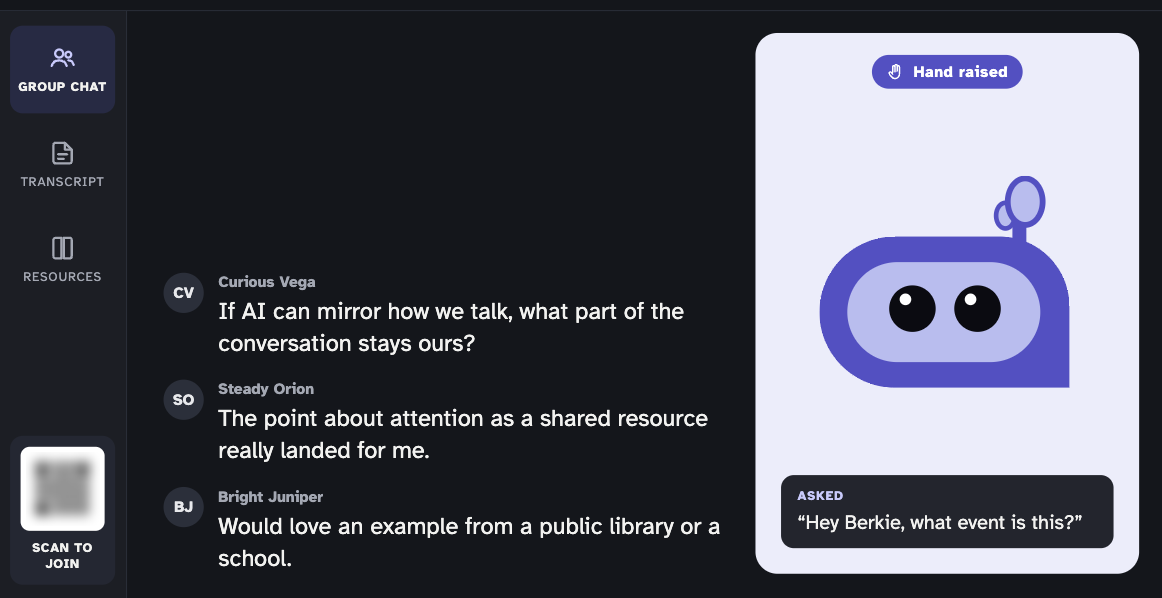
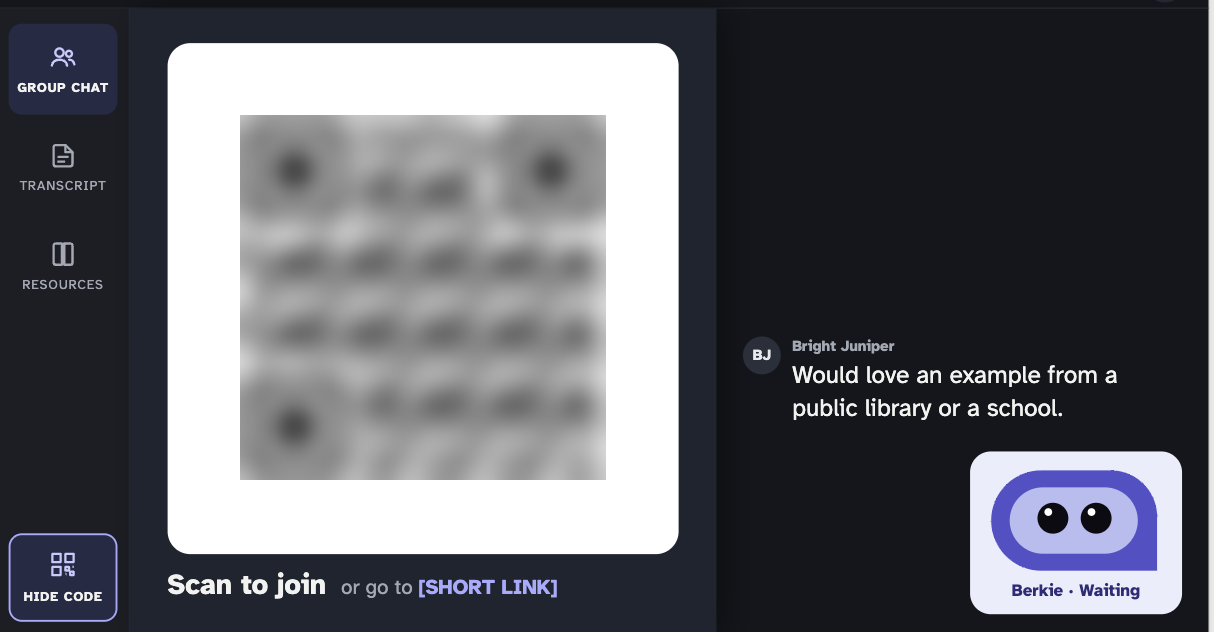
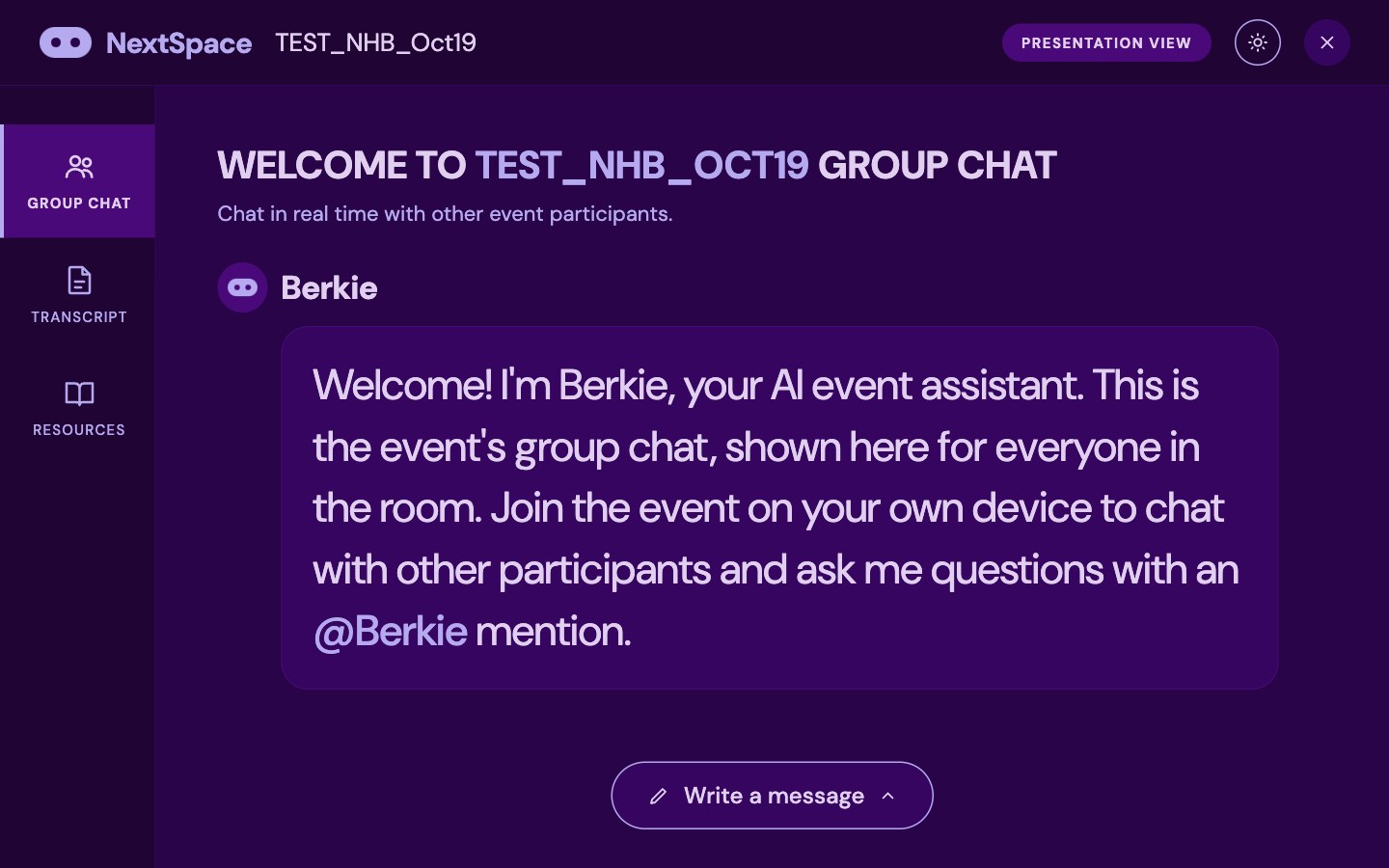
Presentation mode puts the event on the big screen, with larger text and more room, and group chat as the main content. Version 2 adds space for each event’s join code so the room can scan in without anyone reading a link aloud, then tucks the code away once people are in.
Berkie lives in a card at the side of the screen: waiting quietly, or with its hand raised and the question it was asked shown beneath it. Everyone in the chat appears under a pseudonym.
Design system
A color system that does work, not decoration
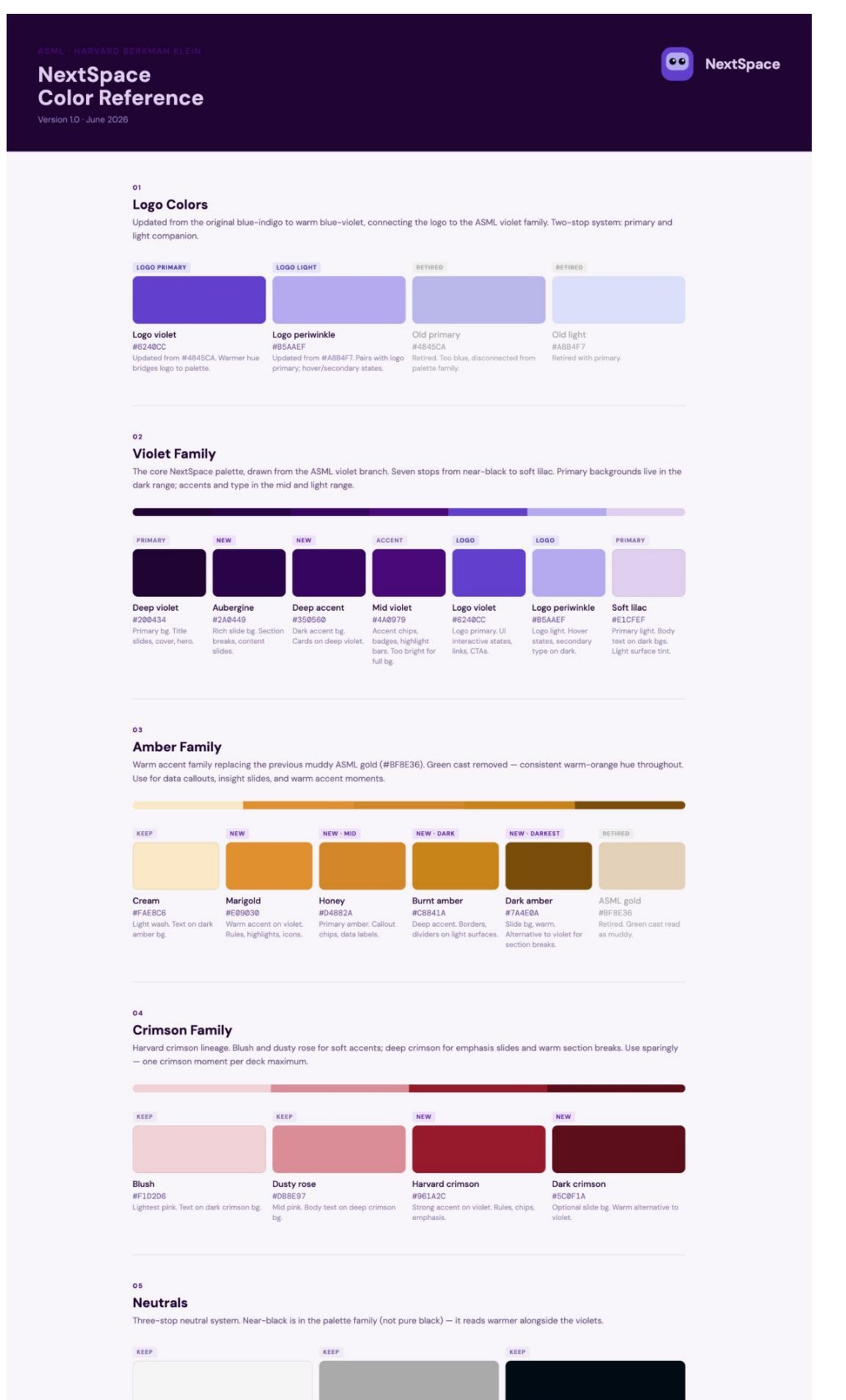
In June I rebuilt NextSpace’s color system so the logo, the product, and every deck feel like one family. I warmed the logo from blue-indigo to a blue-violet that ties into the lab’s brand, replaced a muddy gold with a clean amber family, brought in Harvard crimson sparingly, and set a near-black that reads warmer than pure black beside the violets.
Then I wrote the rules: violet is the default, one warm family per section, mid violet is never a full background, and every token has a named job.
Berkie in the sky
A participant in Zoom, not a pop-up
Engineers are teaching Berkie to join Zoom meetings as a participant. I designed its video feed: small while it waits, a hand that rises when it has something to add, and a moment to think before it speaks once it’s called on.
I tested it at real sizes, from a full tile down to a large-meeting gallery and a circular profile photo, and wrote the hooks engineering needs: a state, and a voice level sampled from the speech audio.
- Never flashesEvery motion is gentle and continuous, safe for photosensitive viewers.
- Labeled as AIThe name tag always reads “Berkie (AI).”
- Not color aloneState shows through motion and shape, not just a color change.
Present without pulling focus.
Why a speech bubble with eyes
It holds up everywhere Berkie shows up: a projector in an auditorium, a phone in someone’s hand, a tile in a 40-person Zoom. It’s warm enough that people want to talk to it, and honest enough that nobody mistakes it for a person.
Next, I’m exploring Berkie siblings with distinct personalities, and small cues that make provenance visible, like Berkie dimming slightly when it’s speculating.